git-stack-cli
- ✨ Stacked diffs for
git
- 🚀 Simple one-branch workflow
- 🎯 Interactively select commits for each pull request
- 💬 Group commits for focused code review
- 🌐 Use the official GitHub CLI
- ♻️ Automatically synchronize each pull request in the stack
- 💪 Work seamlessly with GitHub's interface
- 🚫 Avoid juggling mutiple branches and complex rebasing
- 📚 Preserve your detailed commit history
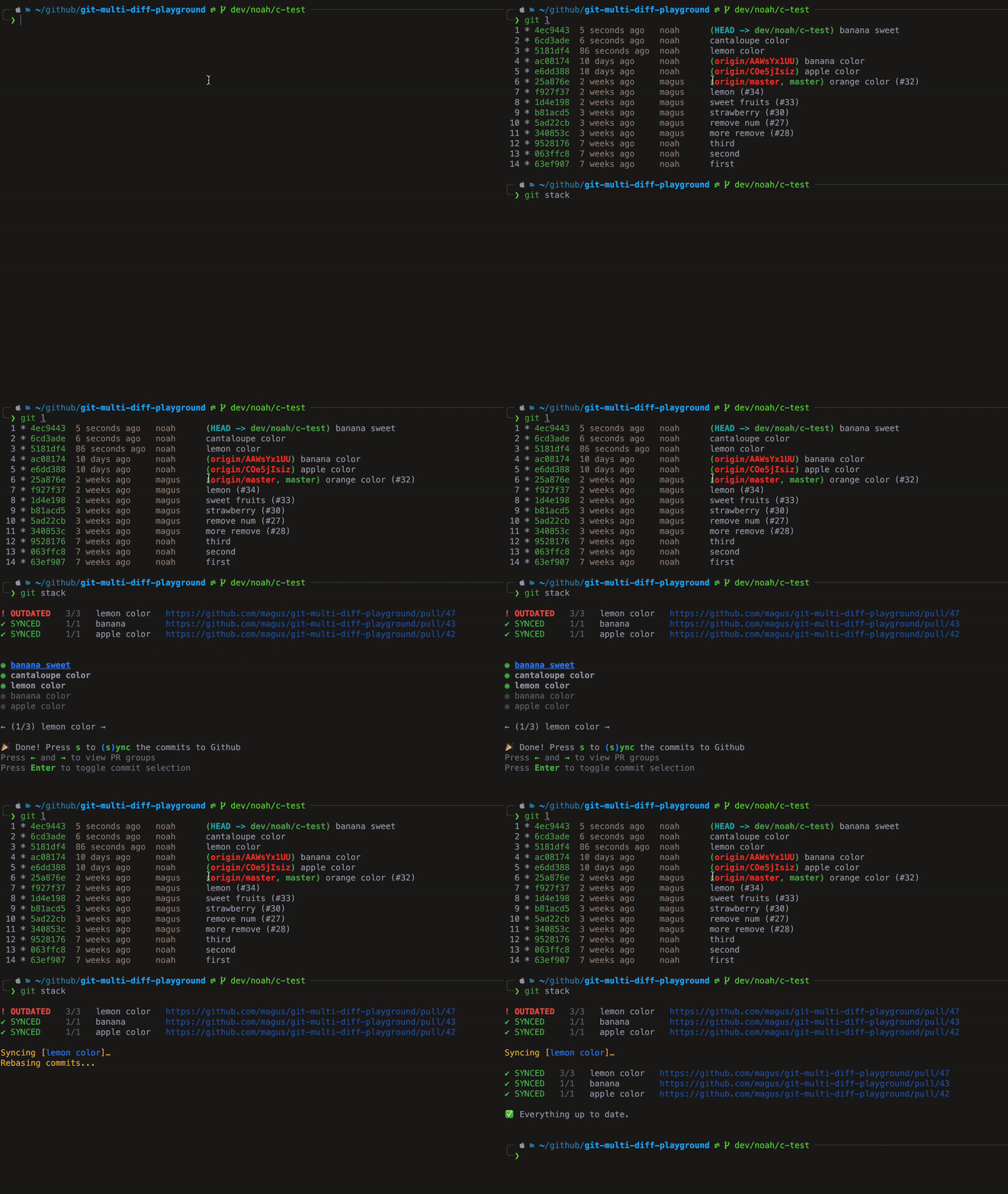
Demo
Install
npm i -g git-stack-cli
brew tap magus/git-stack
brew install git-stack
Usage
git stack
git stack --verbose
git stack --no-verify
git-stack --help
Why?
The goal of git stack is to combine the simplicity of developing in a single branch in order to preserve your commit history while also grouping commits into pull requests for code review.
Often pushing all your commits to a single pull request is the simplest and fastest approach to development.
This comes at a price, your teammates have to review larger, less related pieces of code and you will lose some of your atomic commit history if you "Squash and merge".
When you decide to break changes up into multiple diffs that depend on one another this process is commonly referred to as stacked diffs (pull requests that depend on other pull requests).
This appraoch is popular at many major comparnies such as Twitter, Facebook, etc.
Managing stacked diffs manually involves managing multiple local branches, jumping between them, rebasing, etc.
This process gets even more complicated when you start getting feedback in code review and have to update individual branches.
Managing even a few stacked diffs requires a relatively strong knowledge of git, even with tricks like --update-refs.
How is this different than x
git stack automatically synchronizes each pull request in your stack, as neededgit stack does not create local branches (instead it annotates commits locally with metadata to denote groups of commits, e.g. git-stack-id: E63ytp5dj)ghstack requires rebasing and squashing since each commit creates a pull request, which means you lose commit historygit stack allows developing in a single local branch and selecting groups of commits for each pull requestgit stack adds a clear comment to each pull request in the stack showing the entire stackgit stack does not break if you land pull requests through Github directly, ghstack requires landing from the command-line interfacegit stack uses the official GitHub CLI (gh) instead of personal access tokens
Development
git submodule update --init --recursive
npm i
npm run dev
npm link
npm link git-stack-cli
git stack --verbose
Build standalone executable
npm run build:standalone
Publishing
[!IMPORTANT]
You must update the version in package.json and commit all changes first!
NPM
npm run release:npm
Homebrew + Github
npm run release:brew




